
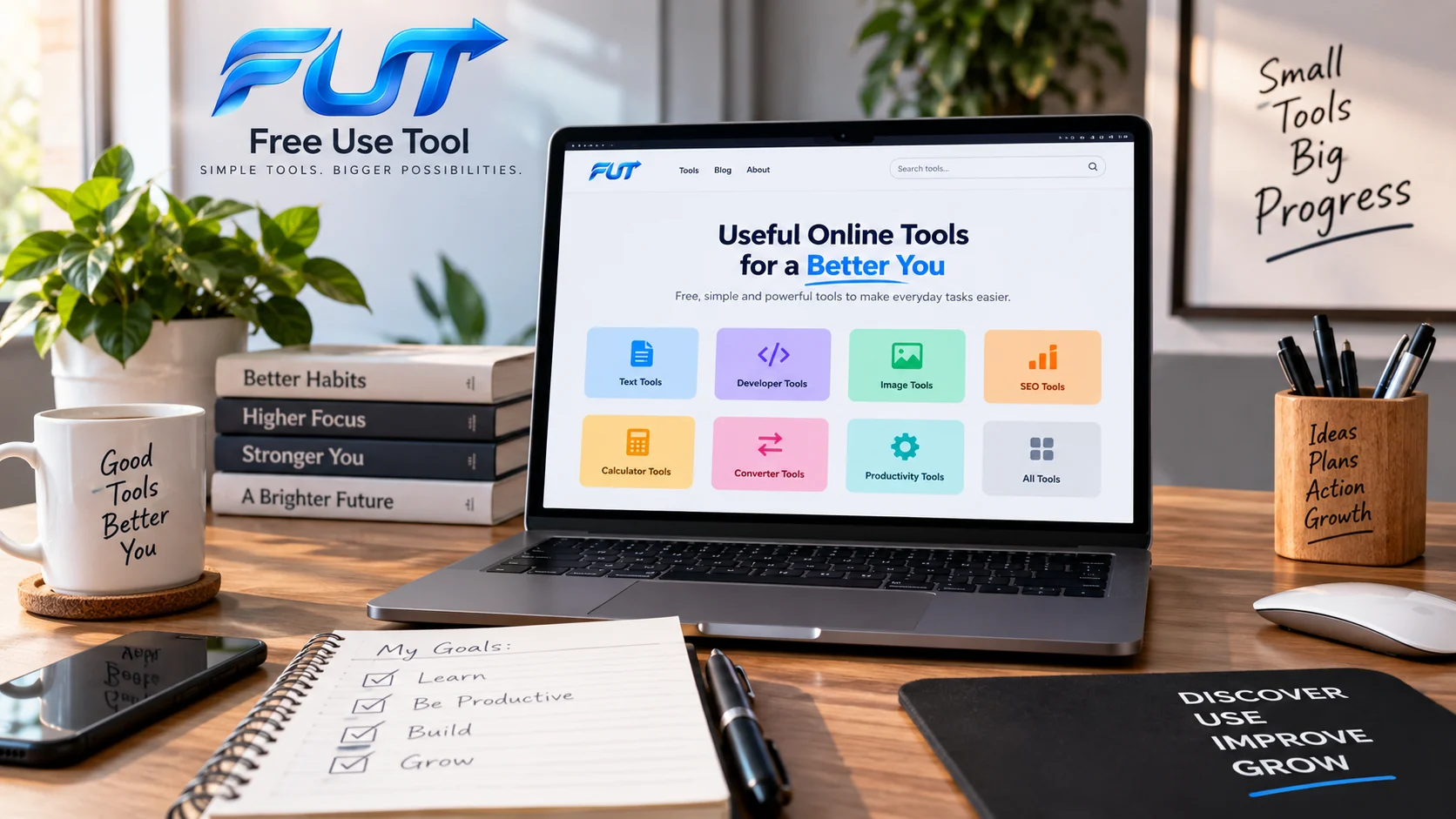
Personal growth used to mean books, courses, and trial and error spread out over years. Today, a huge part of that progress happens in a browser tab. The best online tools for personal growth can help you write more clearly, plan your week, learn a new skill, research a decision, or move a side project forward - often for free, and usually in less time than you'd expect.
This guide walks through the categories of online tools that genuinely support personal development, explains what each one is good for, and offers a practical framework for choosing tools you can actually trust with your time and your data.
What Are Online Tools for Personal Growth?
Online tools for personal growth are web-based applications that help you improve a specific area of your life how you work, learn, communicate, create, or make decisions without requiring you to install heavy software or commit to a long-term subscription before you've tested the value.
They tend to fall into a few practical roles:
- Removing friction from a task you already do (writing, scheduling, organizing files)
- Teaching a skill through structured practice (languages, coding, design)
- Giving you information you'd otherwise have to dig for (research, comparisons, trends)
- Helping you collaborate with other people more smoothly
- Automating small, repetitive parts of your work so you can focus on the parts that require judgment
A well-chosen set of online utilities won't replace effort or expertise, but it removes enough friction that consistency becomes realistic and consistency is what actually produces growth.
Quick Overview: Tool Categories at a Glance
| Category | Best For | Example Use |
|---|---|---|
| Productivity | Planning and daily organization | Managing tasks and time blocks |
| Writing & Communication | Content and clarity | Checking word count and readability |
| Developer Tools | Technical work and debugging | Inspecting a JWT token's payload |
| SEO | Search visibility | Keyword and ranking research |
| Research | Better decisions | Market and competitor analysis |
| Collaboration | Teamwork | Shared documents and project boards |
Why the Right Online Tools Can Accelerate Personal Growth
Growth rarely stalls because someone lacks motivation. It stalls because a task feels harder than it needs to be, so it gets postponed. A good tool lowers that barrier. Formatting a document by hand is tedious; a template makes it a five-minute job. Tracking habits in your head is unreliable; a simple tracker makes it automatic.
The right digital tools also give you feedback loops that used to require a mentor, a class, or years of experience a grammar checker that explains its suggestions, a coding sandbox that shows errors instantly, or an analytics dashboard that shows whether a strategy is actually working. That faster feedback is often what separates steady improvement from guesswork.
Best Online Tools for Productivity
Productivity tools are usually the first category people reach for, because the payoff is immediate: fewer forgotten tasks, less context-switching, and a clearer sense of what "done" looks like for the day.
Useful productivity tools generally fall into three groups:
- Task and to-do managers for capturing what needs to happen and when
- Calendar and time-blocking tools for protecting time instead of just listing intentions
- Focus and distraction-control tools for limiting the pull of notifications during deep work
The mistake most people make isn't picking the wrong app it's picking three or four overlapping ones and never fully adopting any of them. One task manager and one calendar, used consistently, will outperform a collection of half-used apps almost every time.
Online Tools for Learning and Education
Learning tools cover everything from structured courses to language practice apps to flashcard systems built around spaced repetition. What makes them effective isn't the platform it's whether the tool forces active recall instead of passive scrolling.
When evaluating a learning tool, look for:
- Regular, low-effort practice sessions rather than long, rare ones
- Clear progress tracking so you can see improvement over weeks, not just days
- Content created or reviewed by people with real subject expertise
AI-powered tutoring and explanation tools have also become genuinely useful here they're well suited to answering "why does this work" follow-up questions that a static course can't handle. They're best used to supplement structured learning, not replace it entirely, since they can occasionally get specifics wrong.
Online Tools for Writing and Communication
Clear writing is one of the highest-leverage personal growth skills there is, whether you're drafting an email, a resume, or a blog post. Writing tools generally help in three ways: catching grammar and clarity issues, improving structure, and giving you objective feedback on length and pacing.
That last point matters more than people expect. A cover letter that runs long, or a blog post with an uneven pace, is often easier to fix once you can actually see the numbers behind it. A simple online Word Counter is a practical example it gives you an instant read on word count, character count, and estimated reading time, which is useful for keeping emails tight, hitting an assignment's word limit, or pacing a blog post so it doesn't overstay its welcome.
AI writing assistants are worth mentioning too. Used well, they're good at rephrasing awkward sentences or tightening a paragraph. Used poorly, they flatten your voice into something generic so treat their suggestions as a starting point, not a final draft.
Online Tools for Developers and Technical Growth
If part of your personal growth involves learning to code, understanding web development, or building technical literacy for a non-technical role, browser-based developer tools are one of the fastest ways to build real understanding without installing a full development environment.
A good example is authentication. Many modern applications use JSON Web Tokens (JWTs) to manage login sessions, and understanding what's actually inside one demystifies a lot of how web security works. A JWT Decoder & Inspector lets you paste in a token and see its header, payload, and structure broken down in plain terms a genuinely useful way to learn how authentication data is structured, without needing to write a line of code.
Beyond authentication tools, browser-based code sandboxes, regex testers, and API testing tools all serve the same purpose: they let you experiment safely and see results instantly, which is how technical intuition actually gets built.
SEO Online Tools for Digital Growth
If your personal growth goals include building an audience, freelancing, or growing a blog or small business, understanding SEO online tools is worth the time investment. Search visibility directly affects whether the work you create actually gets found.
At a beginner level, useful SEO tools generally help with:
- Keyword research understanding what people actually search for
- On-page checks confirming titles, headings, and meta descriptions are structured well
- Basic performance tracking seeing which pages are gaining or losing visibility over time
There's a real difference between free SEO online tools and paid platforms. Free tools are usually enough to learn the fundamentals and audit a small site. Paid tools become worthwhile once you're managing multiple sites, need historical data, or are optimizing at a scale where small ranking changes have real financial impact. Trend-monitoring tools that track how interest in a topic shifts over time can also feed directly into an SEO or content strategy, helping you time what you publish.
Market Research Online Tools for Better Decisions
Market research online tools aren't just for large companies. Anyone deciding whether to launch a product, start a freelance service, or pivot a career can benefit from tools that show real demand instead of relying on gut feeling.
Useful research tools in this category typically show you:
- Search volume and interest trends for a topic or product
- What competitors are doing and how their offerings are positioned
- Public sentiment for example, tools that help you track online reviews or monitor brand mentions can reveal gaps competitors haven't addressed
The goal isn't to collect data for its own sake. It's to replace assumptions with evidence before you invest real time or money into an idea.
Project Management and Collaborative Online Tools
Project management online tools and collaborative online tools matter most once a personal project grows beyond something you can track in your head a freelance client load, a team you're leading, or a long-term creative project with multiple moving parts.
Look for tools that offer:
- A visual view of progress (boards, timelines, or simple lists) rather than just a spreadsheet of tasks
- Clear ownership who is responsible for what, and by when
- Lightweight sharing, so collaborators can contribute without a steep learning curve
If you're using collaborative tools with clients or teammates, it's worth taking a few minutes to understand how to secure online collaboration tools properly enabling two-factor authentication, reviewing who has access to shared files, and removing former collaborators promptly. These small habits prevent most of the access-related problems people run into.
Creative Online Tools
Creative tools have expanded well beyond design software. Today's browser-based creative tools cover photo editing, image-to-text and text-to-image editing, simple video trimming, and layout design most of it usable without any design background.
A practical, everyday example: tools that let you add text to an image, remove text from an image, or edit existing text within a photo are genuinely useful for creating social graphics, presentation slides, or simple marketing material no design degree required. The learning curve on most of these tools is short enough that you can go from idea to finished graphic in one sitting, which matters if creativity is something you're trying to build as a habit rather than a rare event.
Online Tools for Career Development
Career growth benefits from a specific mix of tools: resume and portfolio builders, interview practice platforms, skill-assessment tests, and networking tools. Used together, they help you present your experience clearly and identify real skill gaps instead of vague ones.
A few habits make these tools more effective:
- Use word- and character-count tools when writing resumes or cover letters recruiters skim, and concise documents perform better
- Take skill assessments honestly, not to pass but to find where to focus next
- Revisit your portfolio or resume tool every few months rather than only before a job search
Online Tools for Entrepreneurs and Small Businesses
For anyone building a business alongside personal growth goals, a small, reliable toolkit tends to outperform a large scattered one. The core categories worth prioritizing are invoicing and basic bookkeeping, scheduling, and reputation management.
On that last point: if you're asking what are the best online reputation tools or looking for a leading approach to online review strategy, the honest answer is that most small businesses don't need an enterprise platform a simple review-tracking tool paired with a habit of responding to feedback promptly covers most of what matters. Online brand protection tools become more relevant once you have a recognizable name or trademark worth defending, but they're not usually a first-year priority.
Free online scheduling tools are also worth setting up early. They remove a surprising amount of back-and-forth email traffic and make you look more organized to clients than you might otherwise feel.
Online Tools for Research and Decision-Making
Big personal decisions benefit from the same evidence-based approach as business decisions. Comparison and research tools exist for almost every major purchase or life decision now, and using them is simply good practice.
A few common examples:
- Travel price comparison tools, which can save meaningful money by surfacing fare and hotel differences across booking sites
- Car price comparison and valuation tools genuinely useful, though it's worth treating their estimates as a starting range rather than a final number, since real-world condition and local demand still affect actual price
- Online notarization tools, which have made remote document signing far more practical for people who don't live near a notary's office
None of these tools remove the need for judgment. What they do is replace guesswork with a reasonable starting estimate, which is usually enough to make a faster, better-informed decision.
Online Tools for Everyday Life
Not every useful tool fits neatly into a "growth" category, but plenty of everyday tools quietly support it. Text-to-speech tools, for instance, let you consume articles or documents while commuting or doing chores a genuinely practical way to fit more learning into a day without adding new blocks of time. Rent-collection tools simplify a task that used to mean chasing checks or bank transfers manually. Simple unit and currency converters, calculators, and file tools round out the kind of quiet, unglamorous utility that adds up over a year of regular use.
Free directories that group these smaller utilities in one place like Free Use Tool's online tools directory can save time compared to searching for each one individually.
How to Choose Reliable Online Tools
With so many online tools available, the harder skill isn't finding one it's evaluating whether it's actually trustworthy. A short checklist helps:
- Check who built it. A named company or developer with a visible track record is generally safer than an anonymous tool with no "about" information.
- Read the privacy policy, briefly. You don't need to read every word, but check whether the tool stores your data, and for how long.
- Test it on non-sensitive input first. Before trusting a new tool with anything important, run a low-stakes test to see how it behaves.
- Look for accessibility basics. Keyboard navigation and readable contrast are decent signals that a tool was built with care.
- Prefer tools that work without an account when possible. Fewer accounts means a smaller attack surface if any single service is breached.
Privacy and Security When Using Online Tools
It's worth being deliberate about what you type into a browser-based tool. Some information should rarely, if ever, be entered into a tool you don't fully trust passwords, API keys, authentication tokens, private financial details, confidential business documents, and personal identification information all fall into that category.
This is where technical tools deserve a specific mention. A JWT, for example, is often base64-encoded but not encrypted meaning its payload can be read by anyone who has the token, not just the server that issued it. A tool like a JWT Decoder & Inspector is genuinely useful for learning and debugging, but the same logic applies to any tool that processes sensitive data: understand what a tool actually does with your input before you rely on it, and never paste live production secrets, real passwords, or another person's private data into a tool you haven't vetted.
Free Online Tools vs Paid Tools
Free tools are usually the right starting point, especially while you're still figuring out whether a habit or workflow will stick. Paid tools earn their cost once you hit a real limitation a storage cap, a missing feature, or a workflow that a free tier simply can't support.
| Free Tools | Paid Tools | |
|---|---|---|
| Best for | Testing habits, light use, learning | Ongoing, heavier, or professional use |
| Typical limits | Usage caps, fewer features, ads | Higher limits, priority support |
| Risk if abandoned | Low nothing to cancel | Wasted subscription cost |
A reasonable rule of thumb: don't pay for a tool until a free version has proven the workflow is one you'll actually keep using.
How to Build Your Personal Online Toolkit
Rather than collecting tools reactively, it helps to build a toolkit deliberately around the areas of your life you actually want to improve. A simple approach:
- Pick one or two growth areas to focus on this quarter for example, writing and career development.
- Choose a single tool per task, not several overlapping ones.
- Give each tool a few weeks of real use before judging it or switching.
- Retire tools you're not actually using a toolkit with fewer, well-used tools beats a long list of forgotten bookmarks.
Browsing a curated online tools directory occasionally is a reasonable way to discover new utilities, but resist the urge to add something new every time you see it. The goal is a toolkit you actually use, not one you're proud of collecting.
Common Mistakes When Using Online Tools
- Tool-hopping instead of committing. Switching apps every few weeks resets your progress each time.
- Collecting tools instead of using them. A bookmark folder full of unused tools provides zero benefit.
- Ignoring privacy settings. Many tools default to sharing more than necessary it's worth a quick check.
- Treating AI tool output as final. AI-powered suggestions are a strong first draft, not a guaranteed correct answer.
- Choosing a tool based on marketing alone. A tool's landing page will always sound compelling; a short trial run tells you more.
Frequently Asked Questions
What are the best online tools for personal growth?
There isn't a single best tool the right choice depends on what you're trying to improve. A task manager for productivity, a spaced-repetition app for learning, a word counter for writing, and a reputable research tool for decisions will collectively cover most personal growth goals.
Are free online tools useful for personal development?
Yes. Many free tools are fully capable for individual, everyday use. Paid tiers usually add convenience, higher limits, or team features rather than being a strict requirement for personal growth.
Which online tools can improve productivity?
Task managers, calendar-based time-blocking tools, and focus or distraction-blocking apps cover the core of productivity. The specific app matters less than picking one of each and using it consistently.
What are the best online tools for students?
Spaced-repetition flashcard apps, a reliable word counter for essays, and structured course platforms tend to offer the best return for students, since they support both memorization and written work.
Which online tools are useful for career development?
Resume and cover letter tools, interview-practice platforms, and skill-assessment tests are the most directly useful, especially when combined with a word-count check to keep application materials concise.
Are free SEO online tools worth using?
For beginners and small sites, yes free SEO tools are usually sufficient to learn keyword research and run basic audits. Paid tools become more valuable at scale, when historical data and advanced tracking matter more.
How do I choose reliable online tools?
Check who built the tool, skim its privacy policy, test it with non-sensitive information first, and see whether it's been reviewed or recommended by sources you already trust.
How many online tools should I use?
Fewer than you'd think. A small set of tools you use consistently roughly one per core task outperforms a large collection that gets used sporadically.
Are online tools safe for private information?
It depends on the tool and the data. Avoid entering passwords, API keys, financial account numbers, or other sensitive information into any tool whose data handling you haven't verified.
Can online tools replace learning?
No. Tools accelerate and support learning by reducing friction and giving faster feedback, but the underlying effort practice, repetition, and applying what you learn still has to come from you.
Final Thoughts
The best online tools for personal growth aren't the ones with the most features or the biggest marketing budget they're the ones that quietly remove friction from something you're already trying to do, and that you'll still be using in six months. Start with one or two categories that matter most to you right now, commit to a small toolkit, and be deliberate about privacy along the way. The tools are only ever as useful as the consistency you bring to them.
Related Topics
- Best Productivity Tools for Students and Professionals
- Best Free SEO Online Tools for Beginners
- How to Choose Reliable Online Tools for Work
- Best Project Management Online Tools for Small Teams
- Best Collaborative Online Tools for Remote Work
- Best Online Tools for Learning New Skills
- Best Online Tools for Writing and Editing
- Best Developer Tools for Software Engineers
- How to Use Online Tools Without Compromising Privacy
- Best Online Tools for Entrepreneurs and Small Businesses
Comments
Sign in to join the conversation.
Sign InBe the first person to start the conversation.